Adding dynamic scrolling text to your website can make it more engaging and interactive. In this tutorial, we’ll explore how to create an infinite marquee effect using simple HTML and CSS. This effect allows text to scroll continuously in multiple directions, adding a lively touch to your web design. Let’s dive in! 🚀
📌 What is the Marquee Effect?
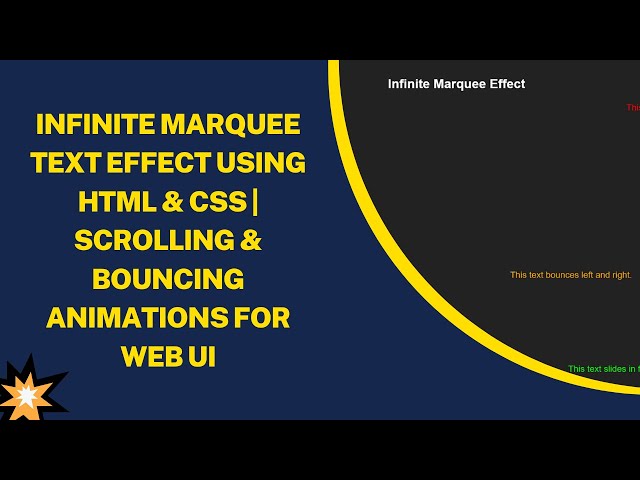
The marquee effect creates scrolling, bouncing, or sliding text animations on a webpage. It is achieved using the <marquee> tag in HTML, though it’s now considered obsolete. However, many browsers still support it, and it remains a simple way to add movement to your website.
🎯 What You’ll Learn
✅ How to create a marquee effect using the <marquee> tag
✅ Scrolling text in multiple directions: left, right, up, and down
✅ Adding bouncing and sliding effects for interactive motion
✅ Styling the marquee text using CSS to enhance visuals
✅ Customizing speed, direction, and behavior for better control
🔥 Step-by-Step Guide to Creating an Infinite Marquee Effect
1️⃣ Basic HTML Structure
Start with a simple HTML template:
<!DOCTYPE html>
<html lang="en">
<head>
    <meta charset="UTF-8">
    <meta name="viewport" content="width=device-width, initial-scale=1.0">
    <title>Infinite Marquee Effect</title>
    <style>
        body {
            display: flex;
            flex-direction: column;
            justify-content: center;
            align-items: center;
            height: 100vh;
            background-color: #222;
            color: white;
            font-family: Arial, sans-serif;
        }
        h1 {
            margin-bottom: 30px;
            font-size: 35px;
        }
        .marquee-container {
            width: 80%;
            text-align: center;
            font-size: 24px;
        }
        marquee:nth-child(1) { color: red; }
        marquee:nth-child(2) { color: blue; }
        marquee:nth-child(3) { color: green; }
        marquee:nth-child(4) { color: yellow; }
        marquee:nth-child(5) { color: orange; }
        marquee:nth-child(6) { color: cyan; }
        marquee:nth-child(7) { color: magenta; }
        marquee:nth-child(8) { color: lime; }
    </style>
</head>
<body>
    <h1>Infinite Marquee Effect</h1>
    <div class="marquee-container">
        <marquee behavior="scroll" direction="left">This text scrolls to the left.</marquee>
        <marquee behavior="scroll" direction="right">This text scrolls to the right.</marquee>
        <marquee behavior="scroll" direction="up">This text scrolls upwards.</marquee>
        <marquee behavior="scroll" direction="down">This text scrolls downwards.</marquee>
        <marquee behavior="alternate" direction="left">This text bounces left and right.</marquee>
        <marquee behavior="alternate" direction="up">This text bounces up and down.</marquee>
        <marquee behavior="slide" direction="left">This text slides in from the left and stops.</marquee>
        <marquee behavior="slide" direction="right">This text slides in from the right and stops.</marquee>
    </div>
</body>
</html>
🎨 Customizing the Marquee Effect
🏃♂️ Adjusting the Speed
You can control the speed using the scrollamount attribute:
<marquee behavior="scroll" direction="left" scrollamount="10">Fast Scrolling Text</marquee>🔄 Looping the Marquee
To make the text scroll indefinitely, avoid setting the loop attribute (default is infinite).
<marquee behavior="scroll" direction="left" loop="3">This text will scroll 3 times only.</marquee>🌈 Adding CSS Animations (Modern Alternative)
Since <marquee> is obsolete, CSS animations provide a modern alternative:
@keyframes scroll-left {
  from { transform: translateX(100%); }
  to { transform: translateX(-100%); }
}
.scrolling-text {
  white-space: nowrap;
  display: inline-block;
  animation: scroll-left 10s linear infinite;
}
<div class="scrolling-text">This is a modern scrolling effect!</div>🎥 Watch the Video Tutorial!
For a step-by-step video guide, check out our YouTube tutorial on Madras Academy. Don’t forget to like, subscribe, and hit the bell icon for more awesome web development content! 🎬✨
🔗 GitHub Repository: [GitHub Link]
🚀 Final Thoughts
The marquee effect is a fun way to add movement to your website. While <marquee> is outdated, it still works in most browsers. For modern development, use CSS animations for better flexibility and performance. Try out different styles, speeds, and directions to create a unique scrolling effect!
Got any questions? Drop a comment below! Happy coding! 💻🎨
#HTML #CSS #MarqueeEffect #WebDesign #WebDevelopment #FrontendDevelopment #ScrollingText #InteractiveDesign #TechTutorial #CreativeEffects 🚀✨