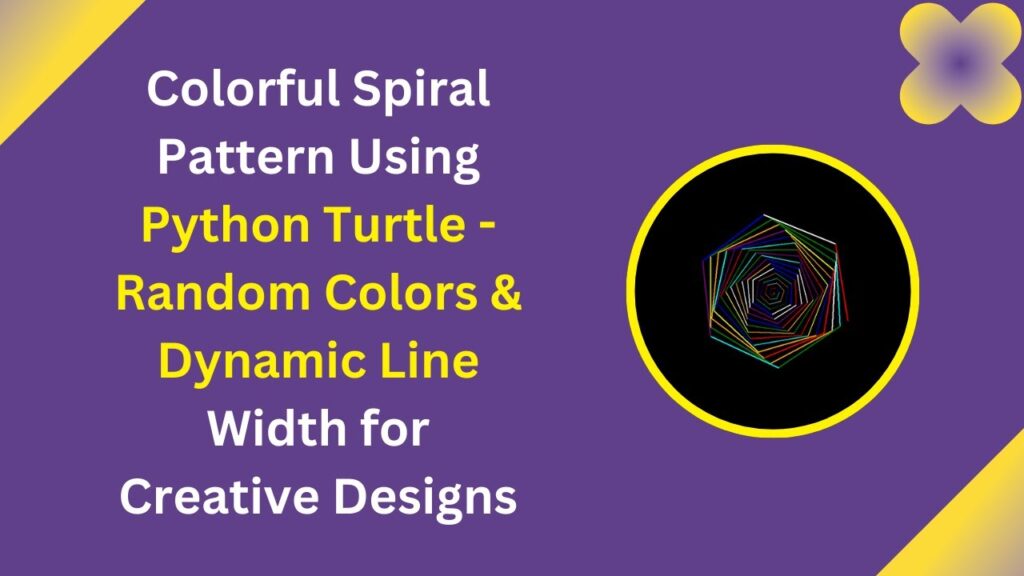
Are you ready to add a creative touch to your Python coding skills? In this tutorial, we’ll explore how to generate a beautiful, colorful spiral pattern using Python’s Turtle graphics module. This project is great for beginners looking to experiment with loops, colors, and shapes while having fun with code! 🎨✨
What You’ll Learn
✅ How to use Python Turtle to draw shapes and patterns 🐢
✅ Implementing random colors for a vibrant effect 🌈
✅ Adjusting line width and angles for unique designs 🎭
✅ Using loops to create mesmerizing artistic patterns 🔄
✅ Enhancing your creativity and coding skills through fun projects 🎯
Setting Up the Environment
To start, ensure that you have Python installed on your system. The Turtle module comes built-in with Python, so no extra installation is required.
If you haven’t installed Python yet, you can download it from the official Python website.
Writing the Python Code
Here’s the complete Python script to generate a colorful spiral:
import turtle
import random

def draw_spiral():
    screen = turtle.Screen()
    screen.bgcolor("black")
    turtle.speed(0)
    colors = ["red", "blue", "green", "yellow", "purple", "orange", "cyan", "white"]

    for i in range(100):
        turtle.pencolor(random.choice(colors))
        turtle.forward(i * 2)
        turtle.right(59)
        turtle.width(i / 50 + 1)

    turtle.hideturtle()
    turtle.done()

# Run the function
draw_spiral()
How the Code Works
- Setting up Turtle: We initialize the turtle screen with a black background.
- Choosing Colors: The script selects random colors from a predefined list for each segment of the spiral.
- Drawing the Spiral: A loop runs 100 times, gradually increasing the line length while changing the direction by 59 degrees, creating a stunning spiral effect.
- Line Thickness: The width of the lines is dynamically adjusted for a smooth transition.
Running the Code
Simply copy and paste the above code into a Python script (e.g., spiral.py) and run it. Watch as the turtle draws a mesmerizing spiral in real time! 🎨🐢
Customization Ideas
Want to get even more creative? Here are some ways to enhance your spiral:
- Change the angle (e.g.,
right(45)orright(72)) for different spiral effects. - Increase the number of loops (
range(150)or more) to create a bigger pattern. - Experiment with additional colors and gradients.
- Modify the background color to suit your design.
Final Thoughts
Creating colorful spirals with Python Turtle is a fantastic way to practice coding while unleashing your artistic creativity. Whether you’re a beginner or an experienced programmer, this project is a fun way to explore the power of loops and graphics in Python!
🎥 Watch the Video Tutorial Here:
📂 Get the Full Source Code on GitHub: GitHub Repository
If you enjoyed this tutorial, don’t forget to like, comment, and subscribe for more exciting Python projects! 🚀🔥
#Python #TurtleGraphics #CreativeCoding #PythonProjects #ArtWithCode #CodingForBeginners #SpiralArt #Programming #TechTutorial #FunWithPython 🎯💡