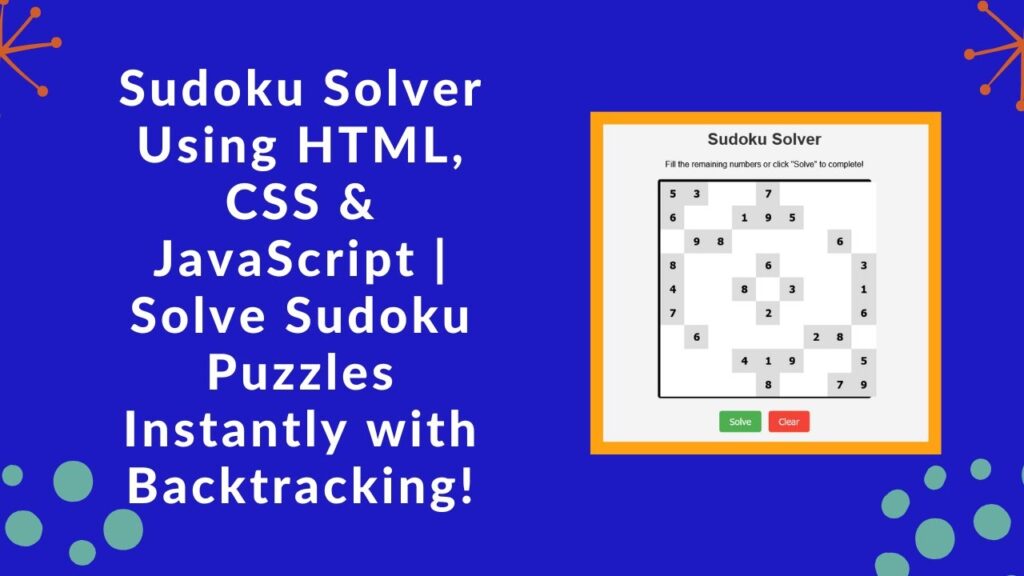
Sudoku is a classic number puzzle that challenges players to fill a 9×9 grid while following specific rules. In this tutorial, we will build an interactive Sudoku Solver using HTML, CSS, and JavaScript. Users can manually enter numbers, solve the puzzle with an algorithm, and clear the grid with a button click.
This project is a great way to practice DOM manipulation, event handling, and algorithmic problem-solving in JavaScript! 🎮🔢
🚀 Features of This Sudoku Solver
✅ A 9×9 Sudoku grid generated with HTML & CSS 🎨
✅ Input validation to allow only numbers 1-9 🔢
✅ A backtracking algorithm in JavaScript to solve Sudoku 🤖
✅ Interactive buttons to Solve and Clear the board 🕹️
✅ Clean and structured UI for an intuitive experience 🖌️
By the end of this tutorial, you’ll have a fully functional Sudoku Solver that you can integrate into your own projects!
🎨 Step 1: Creating the HTML Structure
First, let’s create the basic layout for our Sudoku Solver using HTML.
<!DOCTYPE html>
<html lang="en">
<head>
    <meta charset="UTF-8">
    <meta name="viewport" content="width=device-width, initial-scale=1.0">
    <title>Sudoku Solver</title>
</head>
<body>
    <h1>Sudoku Solver</h1>
    <p>Fill in the numbers or click "Solve" to complete the puzzle.</p>
    <div class="grid" id="sudoku-grid"></div>
    <button onclick="solveSudoku()">Solve</button>
    <button onclick="clearGrid()">Clear</button>
</body>
</html>
This sets up the title, description, and an empty Sudoku grid, which will be dynamically filled using JavaScript.
🎨 Step 2: Styling the Sudoku Grid with CSS
Now, let’s style the grid to look like a proper Sudoku board.
body {
    text-align: center;
    font-family: Arial, sans-serif;
    background-color: #f4f4f4;
}

.grid {
    display: grid;
    grid-template-columns: repeat(9, 45px);
    grid-template-rows: repeat(9, 45px);
    gap: 2px;
    margin: 20px auto;
    max-width: 410px;
    background-color: #000;
    padding: 5px;
}

.cell {
    width: 45px;
    height: 45px;
    font-size: 20px;
    text-align: center;
    border: none;
    background-color: white;
    outline: none;
}

.cell:focus {
    background-color: #d1d1d1;
}

.pre-filled {
    background-color: #ddd;
    pointer-events: none;
}
This will create a 9×9 grid, ensuring each cell has a uniform size and style.
🧠 Step 3: Implementing JavaScript for Sudoku Logic
Now, let’s write JavaScript functions to:
- Generate the grid dynamically
- Implement input validation (only numbers 1-9 allowed)
- Solve the puzzle using a backtracking algorithm
- Allow users to clear the board
const SIZE = 9;
let grid = document.getElementById("sudoku-grid");
const puzzle = [
    [5, 3, 0, 0, 7, 0, 0, 0, 0],
    [6, 0, 0, 1, 9, 5, 0, 0, 0],
    [0, 9, 8, 0, 0, 0, 0, 6, 0],
    [8, 0, 0, 0, 6, 0, 0, 0, 3],
    [4, 0, 0, 8, 0, 3, 0, 0, 1],
    [7, 0, 0, 0, 2, 0, 0, 0, 6],
    [0, 6, 0, 0, 0, 0, 2, 8, 0],
    [0, 0, 0, 4, 1, 9, 0, 0, 5],
    [0, 0, 0, 0, 8, 0, 0, 7, 9]
];

function createGrid() {
    for (let i = 0; i < SIZE; i++) {
        for (let j = 0; j < SIZE; j++) {
            let input = document.createElement("input");
            input.type = "text";
            input.classList.add("cell");
            if (puzzle[i][j] !== 0) {
                input.value = puzzle[i][j];
                input.classList.add("pre-filled");
            } else {
                input.addEventListener("input", function () {
                    this.value = this.value.replace(/[^1-9]/g, "");
                });
            }
            grid.appendChild(input);
        }
    }
}

function isValid(board, row, col, num) {
    for (let i = 0; i < SIZE; i++) {
        if (board[row][i] === num || board[i][col] === num) return false;
    }
    let startRow = Math.floor(row / 3) * 3;
    let startCol = Math.floor(col / 3) * 3;
    for (let i = 0; i < 3; i++) {
        for (let j = 0; j < 3; j++) {
            if (board[startRow + i][startCol + j] === num) return false;
        }
    }
    return true;
}

function solve(board) {
    for (let row = 0; row < SIZE; row++) {
        for (let col = 0; col < SIZE; col++) {
            if (board[row][col] === 0) {
                for (let num = 1; num <= SIZE; num++) {
                    if (isValid(board, row, col, num)) {
                        board[row][col] = num;
                        if (solve(board)) return true;
                        board[row][col] = 0;
                    }
                }
                return false;
            }
        }
    }
    return true;
}

function solveSudoku() {
    let board = puzzle.map(row => row.slice());
    if (solve(board)) {
        console.log("Solved Sudoku:", board);
    } else {
        alert("No solution found!");
    }
}

createGrid();
🔗 Watch the Tutorial Video:
🎥 YouTube Video:
💾 GitHub Code Repository: Check here
If you found this tutorial helpful, like, comment, and subscribe for more exciting coding projects! 🚀🎯